Table Order: a QR menu that sends orders straight to the kitchen
Guests scan the QR code on their table, order in Khmer or English and pay with KHQR. The ticket shows up on the kitchen screen a second later, and the guest sees when it’s ready.
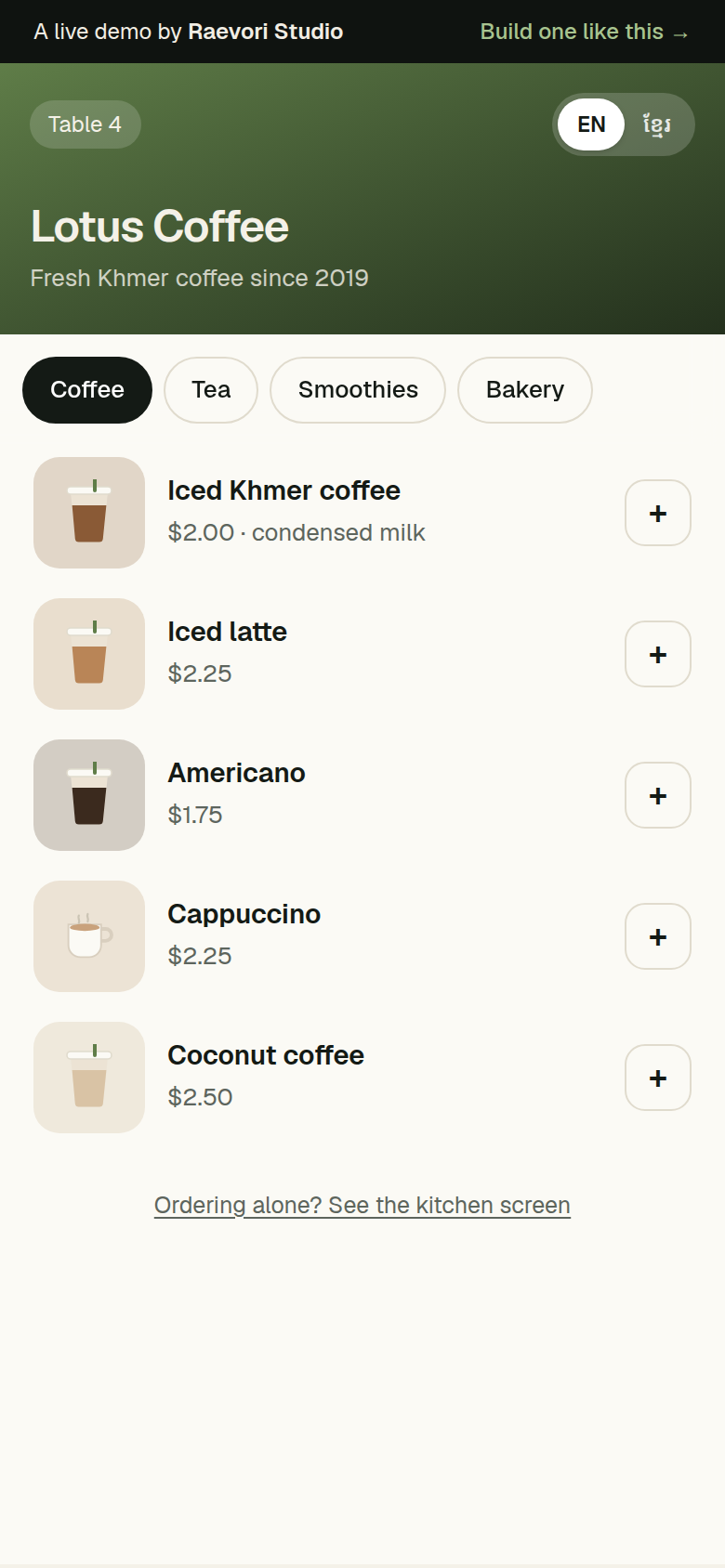
Orders by hand cost time and get mixed up
Handwritten orders, a queue at the counter and a menu that can’t change.
Most cafés in Phnom Penh still take orders by hand. Staff walk between tables, write the order down and carry it to the bar. It takes time, and options like size, ice and sugar get mixed up.
Guests then queue at the counter to pay. A printed menu can’t change a price or hide a sold-out item, so staff have to explain it at every table.
From scan to kitchen in one flow
Every part of the demo works. Try it on your own phone.
QR menu per table
In Khmer and English. The table number comes with the scan.
Options with exact prices
Size, ice and sugar, priced the way the shop sets them.
Pay first with KHQR
The order reaches the kitchen only after it’s paid.
Live kitchen board
New, Preparing, Ready. The guest’s phone updates too.
No app to install
Works in the browser on any phone.
Ready for reports
Every order is stored, ready for a sales dashboard.
Screens from the demo
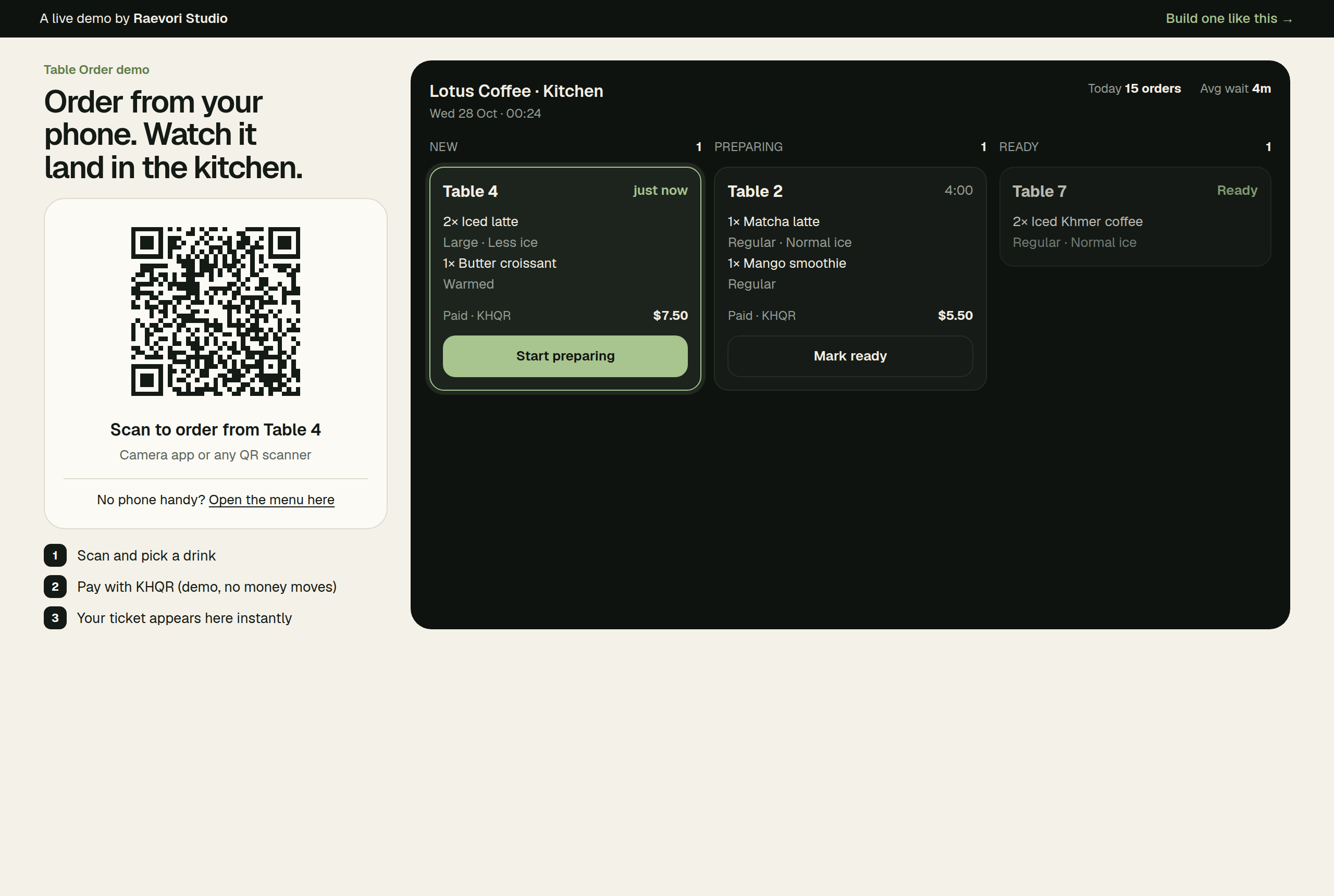
The kitchen screen. New orders appear at the top of the first column.
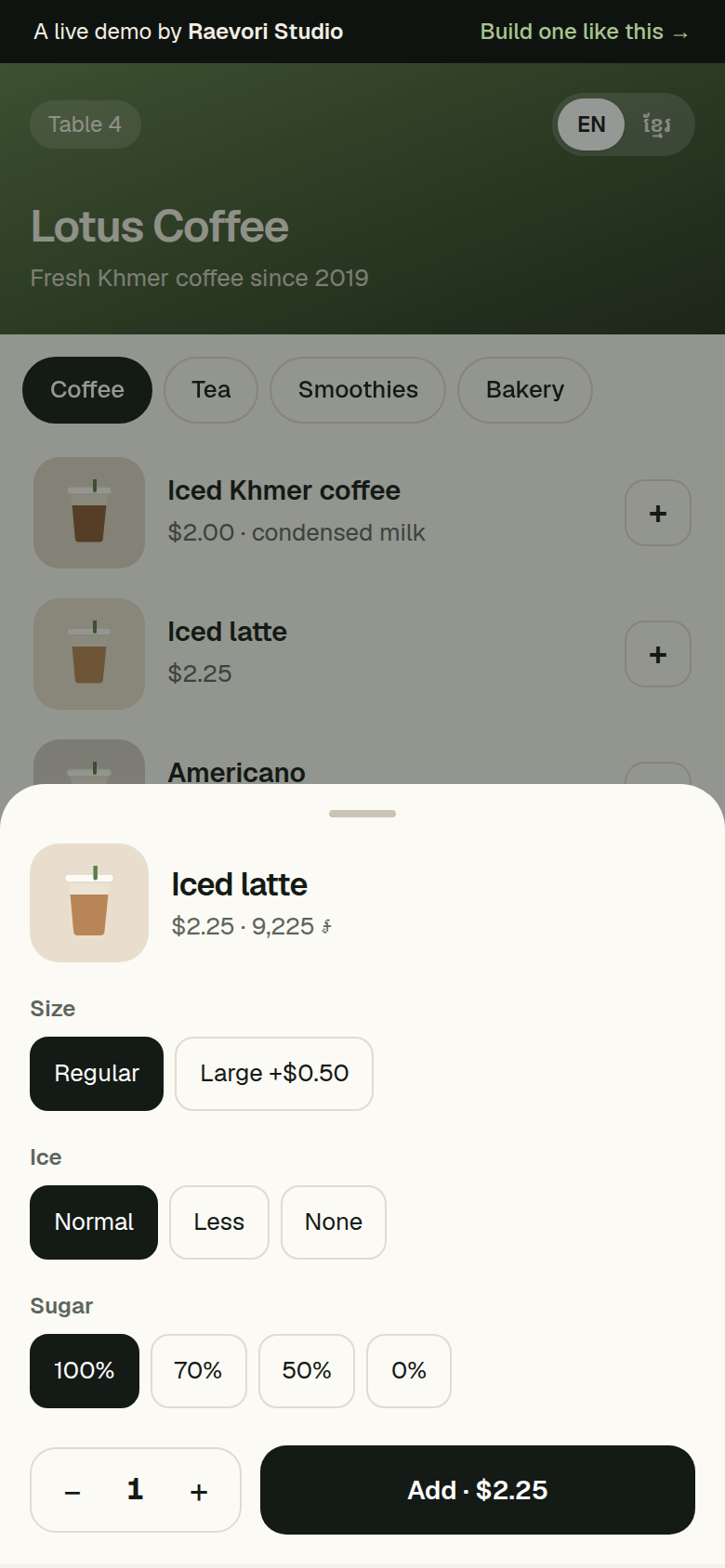
Size, ice and sugar, each with its exact price.
Simple parts, chosen to last
The same stack we use for client projects.
- Next.js
- React
- Server-Sent Events
- KHQR
- Built with Next.js and React, so the menu loads fast on any phone and the kitchen screen runs in any browser.
- Orders reach the kitchen over Server-Sent Events, so the board and the guest’s phone update without a refresh.
- The server checks every price again before it takes payment. The phone never decides what an order costs.
- Payment is by KHQR. In the demo it’s simulated and no money moves.
Want one for your business?
We build it around your menu or your products, at a fixed price agreed up front.
Let’s build your project.
Tell us your idea. Free reply within 1 day.